
Most hotel disappointments in India come from a few avoidable mistakes: a hotel in the wrong part of the city, a room that doesn't fit everyone, a meal plan that didn't include what you thought, or a total at checkout that was higher than the price you first saw.
This guide is a checklist you can use for any Indian city, from a business trip to Bengaluru to a pilgrimage in Varanasi or a weekend in the hills. It follows the order in which decisions actually matter: area, property, room, rate, then the booking itself. For destination-specific advice, see our guides to Goa and Rajasthan's forts.
- Decide in this orderArea, property type, room, then rate and cancellation terms.
- Compare the right numberThe Total Payment on the review page, not only the price on the results card.
- GST on roomsNil up to ₹1,000 per night, 5% from ₹1,001 to ₹7,500, and 18% above ₹7,500.
- IDValid government-issued photo ID for the guests. Foreign nationals need a passport with a visa or OCI card.
- CancellationRead the cancellation table, not just the label on the room.
- Property rulesCheck-in times, deposits, house rules and facilities vary by property.
Facilities, house rules, availability, prices and booking steps vary by property and by room. Always confirm the details on the hotel's listing and on the TravelYaraa review page before you pay.
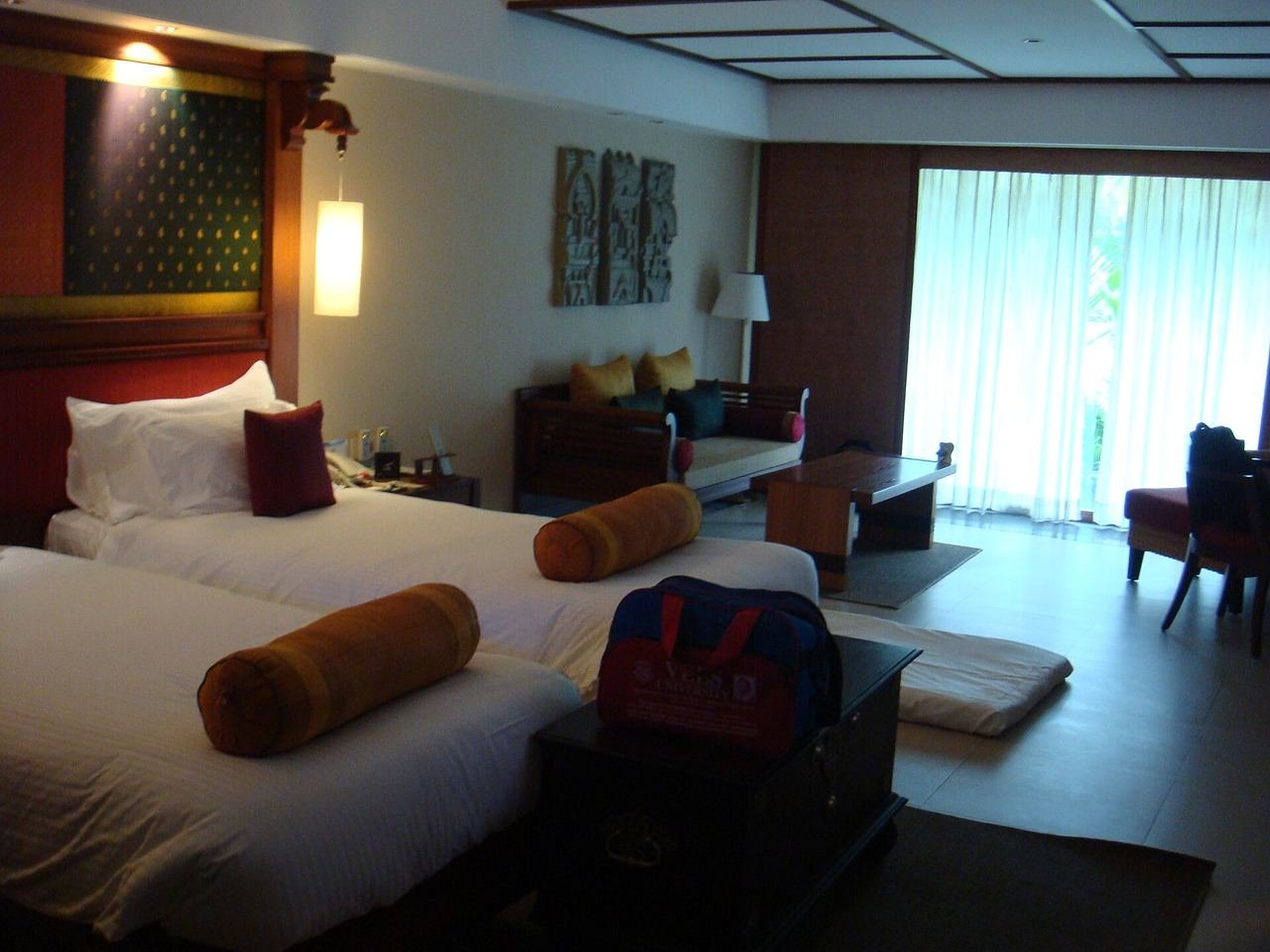
The photos show real places and example rooms in India to illustrate the points in this guide. They are not photos of TravelYaraa listings. Hotel availability and prices appear only in a live search.
1. Choose the area before the hotel
In large Indian cities, the wrong neighbourhood can cost you hours in traffic every day. Start by listing the places you will actually spend time (meetings, a wedding venue, a railway station, the airport, temples or sights), then look for hotels near them. On every listing, use "Show on map" to check the real location.
Delhi: station, airport or sights?
Paharganj, opposite New Delhi railway station, is known for budget hotels and a crowded bazaar, which is handy for early trains but busy and noisy. Aerocity, next to Indira Gandhi International Airport, suits early flights and short transits. Central areas such as Connaught Place are better for sightseeing. In our test search for New Delhi, the Popular Places filter also listed Gurugram, a separate city in Haryana. A hotel there can be a long drive from Old Delhi, so check the map.
Mumbai: think in commute times
Mumbai's traffic makes distance misleading, so stay close to where you will spend your days. Our test search for Mumbai showed how wide the area can be: Popular Places included Thane, Navi Mumbai, Vasai and Kalyan as well as Mumbai itself. These are real places to stay, but they are not interchangeable if your plans are in South Mumbai.
Bengaluru: the airport is far from the centre
Kempegowda International Airport is at Devanahalli, well north of the city. Our Bengaluru search listed Devanahalli in Popular Places, which suits an early flight but is a long drive from central Bengaluru and from business districts in the east and south. Choose a hotel near your office or event for the main stay, and consider an airport-area hotel only for the last night.
Hill stations: roads, steps and nearby towns
In Shimla, the Mall Road and Ridge area is largely pedestrian, and many hotels on the slopes are reached by steps or steep paths. Before booking, check how close a vehicle can get and whether someone can help with luggage. Our Shimla search also listed places like Kufri, Mashobra and Chail, which are separate towns outside central Shimla. The search list also showed "SHIMLA, TAMIL NADU" above "SHIMLA, HIMACHAL PRADESH", so read the full line before selecting.
Pilgrim towns: close to the ghats, or easy to reach?
In Varanasi, guesthouses near the ghats are often in narrow lanes that cars cannot enter, so you may walk the last stretch with your luggage. Hotels in the newer parts of the city have easier road access but are further from the river. Our Varanasi search also listed Sarnath as a separate area. In Rishikesh, the search listed Tapovan as well as Rishikesh town, and the two have quite different settings.
2. Pick the property type
The Property Type filter on the TravelYaraa results page shows the types in your results. In different cities we saw Hotel, Resort, GuestHouse, Bed & breakfast, Hostel, Aparthotel, Apartment, Villa, Cottage, Private Vacation Home and Holiday Park. The type tells you a lot about the level of service to expect.
| Type | Typical strengths | Ask or check |
|---|---|---|
| Hotel | A reception desk, daily housekeeping and predictable rooms. | Room size, view and noise from the road. |
| Resort | Space, a pool, on-site dining and activities. | Distance from town, and which activities and meals cost extra. |
| GuestHouse, Bed & breakfast | A personal welcome and local tips, often at lower prices. | Reception hours for late arrivals, stairs, and whether breakfast is included in your plan. |
| Aparthotel, Apartment | A kitchen and more space for longer stays. | Cleaning frequency, how keys are handed over, and any security deposit. |
| Villa, Private Vacation Home, Cottage | Privacy and room for families or groups. | House rules, who to contact on arrival, check-in arrangements and deposits. |
| Hostel | Budget beds and a social atmosphere. | Dorm or private room, lockers and any age rules. |
Star category is not everything. The Star Category filter helps narrow your options, but a star rating does not tell you how big your room is, whether it has a window, or how quiet it will be. Read the room details and the hotel page for each option.
3. Read the room, not just the hotel
A hotel's photos and amenities describe the property as a whole. What you book is one specific room type, with its own name, size, beds, occupancy limit, meal plan and cancellation terms. Compare these for each room option under Room types, and use View details for the full information.
What to check on each room
- The room name. It often tells you the essentials. "Standard Non AC Room", for example, is a real room name we saw on a live listing.
- Maximum occupancy. Rooms show a limit such as "Fits max. 2 guests". Everyone staying, including children, needs to fit within it.
- Beds. Check whether you get one double bed or two singles, and whether an extra bed is possible (and at what cost) before assuming it.
- Window, view and floor. "Sea view", "lake view" or "city view" usually applies only to particular room types.
- Documents. Some rates are marked "PAN required for this rate". If you see this, have the PAN details ready for the booking.
Two adults and two children (aged 6 and 11) want to share. Under ROOMS & GUESTS, set Adults (12 years and above) to 2 and Children (below 12 years) to 2, so the results reflect the real party. If the rooms you like show "Fits max. 3 guests", either look for a family room or larger room type that fits four, or set Rooms to 2. Don't assume a child will stay free; the property's rules decide.
4. Meal plans explained
The Meal Basis filter and each room option show what food is included. Common plans you will see are:
- Room Only: no meals included. This works well in cities with plenty of places to eat nearby.
- Breakfast: breakfast included. Check whether it covers everyone in the room.
- Breakfast for 1: breakfast is included for one guest only. If two of you are sharing, ask the property what the second breakfast costs.
- Half Board: usually breakfast plus one other main meal. This is useful at remote resorts and hill properties with few restaurants nearby.
Compare the Total Payment for the same room with and without breakfast. If, for illustration, the Breakfast plan costs ₹1,200 more for a 3-night stay for two people, that works out to ₹200 per person per breakfast. Compare that with what breakfast would cost nearby, and with how early you will be heading out.
5. Amenities and accessibility
Use the Amenities filter to narrow the list (for example Wifi, Pool, Parking, Breakfast and Air Conditioning), then confirm on the hotel page under Amenities and in the room's details. A hotel-wide amenity does not always apply to every room. A pool may close for maintenance, and parking may be limited or paid. If something is essential to you, contact the property before booking.
Accessibility
Listings can include accessibility information such as:
- "Wheelchair Accessible"
- "Upper Floors Accessible By Stairs Only"
- "No Accessible Shuttle"
- "Braille Or Raised Signage"
These lines come from the property's information and do not describe every detail, such as door widths, bathroom layout or step-free routes to every area. If you or someone in your group has mobility, sight or hearing needs, read the lines carefully and contact the property to confirm the details for your room before you book.
6. Check-in, check-out and ID requirements
Times
Each hotel page shows its own times. One listing we checked showed "Check-in from 12:00 PM" and "Check-out until 11:00 AM", but times vary by property. If your flight or train arrives early in the morning, an early check-in is not guaranteed. Either book the previous night or plan to leave your luggage and come back. You can add a note in Special request on the review page, but requests depend on the property and are not guaranteed.
ID for every stay
The TravelYaraa review page states: "Carry valid government-issued identification required for check-in. Ensure guest names match the identification used at the property." In practice:
- Indian guests commonly use Aadhaar, a passport, a driving licence or a voter ID. The property decides which documents it accepts.
- Foreign nationals and OCI cardholders should carry their passport and a valid Indian visa or OCI card. Under India's immigration rules, accommodation providers must report foreign guests to the authorities within 24 hours of arrival, so the property will ask to see and record these documents.
- Names: enter every guest's name on the review page exactly as it appears on their ID.
House rules
Properties can set their own rules, for example about IDs issued in the same city, unmarried couples, visitors in rooms, pets, smoking, minimum age or quiet hours. Read the Hotel rules section on the review page before you pay. If a rule matters for your trip, contact the property first.
7. The real price: taxes, deposits and offers
Results price vs Payment Summary
The results page shows a price for each hotel, for example "Total for 1 night". When you choose a specific room, the Payment Summary on the review page lists the Room Price, Taxes & Fees and the Total Payment. The Total Payment reflects the exact room, dates and guests you selected and can differ from the figure on the results card, so it is the number to compare.
GST on hotel rooms
Since 22 September 2025, GST on hotel accommodation depends on the value of the room per night:
| Room value per night | GST rate |
|---|---|
| ₹1,000 or less | Nil |
| ₹1,001 to ₹7,500 | 5% |
| Above ₹7,500 | 18% |
Room A at ₹7,400 per night has ₹370 GST (5%), so ₹7,770 per night. Room B at ₹7,800 per night has ₹1,404 GST (18%), so ₹9,204 per night. A ₹400 difference in the room rate becomes a ₹1,434 difference per night once tax is added. This is why comparing totals matters near the threshold.
These examples only show how the slabs work. Tax rules can change, and the Taxes & Fees line for a rate may include other charges, so always rely on the Payment Summary for your booking.
Deposits and charges at the property
The review page also notes that "Check-in/out requirements and deposits may vary by hotel". Some properties ask for a refundable security deposit at check-in, and extras such as additional meals, minibar, laundry or transfers are usually paid at the property. Check "About this property" and the hotel rules.
Offers
The review page includes a TravelYaraa Offer field where you can apply a code. Each offer has its own eligibility and terms (some, for example, are only for a first booking or need you to be signed in), and these are checked when you apply it. Only currently active offers will work, so check that the discount appears in the Payment Summary before you continue.
8. Cancellation and refund terms
Every room option shows a cancellation status. The labels you will see are:
| Label | What it means for you |
|---|---|
| Free cancellation until [date] | You can cancel without charge up to the date shown. After that, the charges in the cancellation table apply. |
| Cancellation charges may apply | The rate can be cancelled, but charges depend on when you cancel. Open the table to see them. |
| Non-refundable | You usually lose the amount paid if you cancel or don't arrive. It is often cheaper, so only choose it when your plans are fixed. |
When rooms with free cancellation are available, the results page may also show a Free Cancellation Available filter. For any room, tap View cancellation to open the table, which has "On or After", "On or Before" and "Charges/Comments" columns, and note the exact dates. A deadline can be several days before check-in.
To cancel after booking, open My Bookings. For hotel bookings, TravelYaraa first shows the cancellation charges, and you then confirm whether to go ahead. Any refund follows the policy shown for your booking.
9. Booking on TravelYaraa, step by step
- Open the Hotel search. On the TravelYaraa home page, choose the Hotel tab in the search box.
- Pick the destination. Tap CITY / HOTEL / AREA, type the city and read each line, which shows the state and country. Several Indian place names exist elsewhere too (we saw Udaipur, Shimla and Kota each listed in two different states). If a very specific locality returns "Hotels are not available for this exact location yet", choose the main city instead.
- Add dates and guests. Set CHECK-IN, CHECK-OUT and ROOMS & GUESTS (rooms, adults aged 12 and above, and children below 12). Under More options, check the Nationality and Country of Residence, then tap SEARCH HOTELS.
- Narrow the results. Open Filters: Search by Hotel Name, Star Category, Meal Basis, Price Range, Amenities, Property Type and Popular Places. Use Sort by to reorder the list.
- Study the hotel. Tap View Details for photos, the address, "Show on map", check-in and check-out times, "About this property" and the amenities.
- Choose the room. Under Room types, compare occupancy, meal plan and cancellation status. Open View details and View cancellation, then tap Book.
- Review your booking. On Review Your Booking, check the dates and times, nights, rooms, guests and room plan, and tick the box confirming the selected room. Read the Cancellation Policy, Important information and Hotel rules.
- Enter the guests. Add every guest's title, first name and last name as on their ID, plus your email and mobile number. If you are signed in, you can pick guests from your saved guest list.
- Check the total and pay. Review the Payment Summary, apply a TravelYaraa Offer code if you have one, and tap Continue to payment. TravelYaraa checks the price and availability again before the secure payment page opens.
- After booking. Use My Bookings to see your booking details or request a cancellation.
10. Final check before you pay
- The city line you selected shows the right state and country.
- The hotel's address and map are where you need to be.
- The dates, number of nights, rooms and guests are correct, including children.
- The room type fits everyone ("Fits max." covers your party).
- The meal plan is what you expect, including who breakfast covers.
- The amenities and accessibility details you rely on are confirmed.
- Check-in and check-out times work with your travel times.
- You have read the cancellation table and noted the deadline.
- You have read the Hotel rules, including ID, deposit and house rules.
- The Total Payment in the Payment Summary is the amount you expect.
11. Arrival day
- Keep your booking details from My Bookings, and the property's address and phone number, available offline.
- Carry the IDs for all guests (and passports with visas or OCI cards for foreign nationals).
- If your train or flight is delayed and you will arrive much later than planned, contact the property to let them know.
- Keep a payment method ready for any deposit or local charges.
- Before you settle in, check that the room matches what you booked (bed type, AC and occupancy). If it doesn't, raise it at the front desk straight away.
In short
Book the area first, then the property type, then the specific room and rate. Compare the Total Payment on the review page, not just the first price you see, and remember how GST changes above ₹7,500 per night. Read the room's occupancy and meal plan, the cancellation table and the hotel rules, and carry the right ID. A few minutes with this checklist saves most of the surprises at check-in.
More travel guides
Image credits
The photos in this guide come from Wikimedia Commons. Each photo has its own creator and licence, listed below. We resized and recompressed every photo for faster loading, some are shown cropped to fit the page, and your browser may receive them in another format such as WebP. Our modified copies are available under the same licence as each original.
- Top photo: hotel room, Mahabalipuram “Hotel room at GRT Temple Bay Resorts, Mahabalipuram” by tshrinivasan. Source file. Licence: CC BY-SA 3.0.
- Main Bazaar, Paharganj, Delhi “Main Bazaar, Paharganj, Delhi, India” © Vyacheslav Argenberg. Source file. Licence: CC BY 4.0.
- Train status board, New Delhi station “Train status board at New Delhi Railway Station, India” by Ravi Dwivedi. Source file. Licence: CC BY-SA 4.0.
- Mall Road, Shimla “Mall Road, Shimla 2” by Slyronit. Source file. Licence: CC BY-SA 4.0.
- Economy room “Economy room” by Prabhat12. Source file. Licence: CC BY-SA 4.0.
- Deluxe room “Deluxe room” by Prabhat12. Source file. Licence: CC BY-SA 4.0.
- Idli and sambar breakfast “Breakfast idli sambar” by PrasanthR. Source file. Public domain dedication CC0 1.0; credit given as a courtesy.
- Wheelchair ramp at a hotel entrance “Fairfield by Marriott Bengaluru Rajajinagar - Wheelchair Ramp” by Chongkian. Source file. Licence: CC BY-SA 4.0.